
Keep a grip on your construction projects, avoid miscommunication and work faster with smart digital tools.
Digital project management is here to stay in the construction industry. Projects are becoming more complex, deadlines are under pressure and teams are increasingly spread across different locations. A modern, digital way of working helps companies keep an overview, avoid mistakes and give everyone on the construction site the same information. Without loose apps, Excel lists or endless phone calls.
On this page you can read how digital construction tools work, what to look out for and how to keep an overview of tasks, drawings, documents and completion points with one app.
.png?width=1008&height=707&name=u6831186426_A_cinematic_34_shot_of_a_mexican_male_contractor__36722ac9-d5f4-4c21-8f53-038966944443_3%20(1).png)
What is digital project management software in construction?
Digital project management software is a central place where you manage all the tasks, action items, documents, drawings, photos and progress of a construction project. It replaces loose Excel lists, WhatsApp groups and paper notebooks with one structured environment.
A good digital system does more than just store information. It helps you to:
- link tasks to concrete locations on drawings, so everyone sees what needs to be done where;
- capture photos and evidence immediately, including time, location and person responsible;
- maintain version control over drawings and documents, so no one is working with an outdated version;
- communicate changes in real time, without subcontractors missing updates;
- provide visibility of project progress, both on-site and remotely.
Many construction teams use tools like Ed Controls for this purpose, which brings together tasks, drawings, audits, documents and photos in a single platform. As a result, executives, project managers and subcontractors are always working with the same information, no matter where they are.
The goal: less noise, fewer misunderstandings and more control over time, quality and communication.
Why are more and more contractors using digital tools?
Construction projects consist of hundreds of small actions. Without a central digital tool, misunderstandings, outdated information and duplication of effort quickly arise. Therefore, more and more contractors are switching to a digital way of working for the following reasons:
- You avoid miscommunication between contractor, subcontractor and office
- Tasks are immediately clear: who has to do what, where and when
- You always have evidence (photos, notes, reports) in one place
- You can work with current drawings and documents
- You can manage progress, risks and open points at any time
- Everyone works more efficiently, on site and at home
- Modern apps like Ed Controls help by centralizing information and tasks.
Organizing everything centrally, from drawings to tickets, creates peace and clarity on the construction site.
Frequently asked questions about digital project management
Below are the most common questions from the construction industry, with clear and neutral answers that will help you immediately.
1. Which project management software is suitable for construction?
Good construction software must fit the daily reality on the construction site: little time, many changing teams and a workplace that is constantly changing. Therefore, software must be clear, fast and easy to use without complicated steps. If a tool is too complex or requires too many actions, it simply won't be used by performers, tradesmen and subcontractors.
That's why features such as managing tasks, completion points, drawings and documents are so important. They are the foundation of every construction project. Tools like Ed Controls offer just that: one clear platform where you bring together all actions, photos, documents and drawings. As a result, construction teams work faster, with less miscommunication and much more grip on quality and progress.
2. What is the best app to distribute tasks on the construction site?
A good task distribution tool lets you link tickets or action items to locations, responsibilities and deadlines. That way, each craftsman knows exactly what they need to do and you prevent tasks from being left behind. Apps for construction often offer extras such as photos, comments and automatic updates.
3. What software helps plan and track construction tasks?
Project management tools with a ticket or task module provide insight into open items, priority and progress. This helps implementers make faster decisions and makes it easier for project managers to watch remotely. Tools like Ed Controls, for example, offer tickets, photos and clear task tracking in one place.
4. Which app helps to organize the construction site digitally?
Digital organization starts with insight: which tasks are open, what has been completed, which drawings are current and which issues should be prioritized? An app that combines tasks, drawings and documents provides overview and prevents duplication of effort. Many tools, such as Ed Controls, combine tickets, drawings and documents, so construction teams are always working with the right information.
5. How do I make sure everyone on the construction site knows what to do?
Everyone on the construction site only really knows what to do when information is clear, complete and centrally available. Therefore, it works best to link tasks to people, locations and concrete descriptions so that there is no room for interpretation.
In addition, it helps tremendously when a digital tool:
- sends automatic notifications of new tasks or changes, so no one misses updates;
- shows tasks visually on drawings, allowing professionals to immediately see where something needs to be done instead of having to interpret it from text;
- shows priorities and deadlines clearly, so teams know what needs to be done first;
- links photos and evidence to tasks so everyone has the same context;
- sends reminders when a task is about to expire or is open for a long time;
- provides transparency so that performers and subcontractors can see each other's work.
Bringing this information together in one place creates peace and order on the construction site. As a result, everyone, from contractor to subcontractor, knows exactly what is expected when.
6. How to avoid miscommunication between contractor and subcontractor
Miscommunication between contractor and subcontractor is often not caused by unwillingness, but by fragmented information. When agreements are scattered over WhatsApp, emails, loose PDFs, phone calls and paper notes, everyone works with their own version of the truth. The result: duplicate work, errors, delays and discussions at the end of the project.
You avoid this by using one central place for all communication and documentation. When everyone, both contractor and subcontractor, works with the same up-to-date information, most of the noise disappears.
7. How do I digitize my construction company step by step?
Digitizing doesn't have to be a big, complicated change. Most construction companies start small and then expand step by step. Here's what a logical and achievable digitization path looks like:
- Start by digitizing tasks and completion points.
This is the foundation of any project. Capturing action points, photos and responsibilities digitally gives everyone an instant overview. Many companies therefore start with an app such as Ed Controls to replace chaos in WhatsApp, Excel and paper lists. - Then add drawings and documents
When you also manage drawings, documents and revisions digitally, you are always working with the latest version. Subcontractors immediately see where they need to be and what details apply. This prevents errors and discussions. - Then digitize audits, inspections and checks
Doing checklists and inspections digitally ensures that evidence, photos and comments don't get lost. Everything automatically ends up in the right place, linked to the project. - Automate reports and files
Once tasks, photos and documents are digital, you can have reports generated automatically: completion reports, quality reports, progress reports, you name it. This saves an enormous amount of time at the end of a project. - Work towards one complete digital workflow
At this stage, tasks, drawings, documents, audits and reports run seamlessly together. Everyone works in the same tool, there are no more separate files, and you have one central source of truth for every project.
8. How do I keep a handle on documentation from multiple projects at once?
A central document hub helps to clearly manage drawings, reports, photos and versions. Folder structures and version control prevent files from disappearing into mail chains or personal drives.
9. How do I document construction defects without using Excel?
Excel initially seems handy for keeping track of defects, but in construction it often leads to problems: pictures are somewhere else, versions get mixed up, columns are filled differently and nobody is sure what the latest status is. This causes errors, delays or discussions during completion.
A ticket or points system makes this process much simpler and more reliable. With it, you replace Excel lists that often become incomplete or outdated. You avoid errors caused by manual input and you ensure that everyone (contractor, contractor and subcontractor) works with the same up-to-date information.
10. How do I easily keep track of tickets or action items during construction?
Keeping track of tickets or action items on the construction site is often more difficult than it seems. Information quickly gets scattered across WhatsApp, paper notes, Excel files or verbal agreements. As a result, no one knows exactly what is still open, who is responsible or whether an item has already been resolved.
A digital app with a ticketing system solves those problems by combining everything in one place. This allows you to see at a glance what still needs to be done, who is working on what and what has already been completed, without having to work with different apps or documents.
11. Why is linking tasks to drawings so effective?
Because you immediately see where something needs to be done. Instead of "door 3.12 needs to be re-hung" you can visually mark the point on the drawing. That saves explanations and prevents misunderstandings.
Digital project management software helps construction companies organize tasks, drawings, documents and communication in one central place. Tools such as Ed Controls support this with a clear structure, so teams spend less time searching, reconciling and reporting.
Key features of modern construction project software
A good digital tool for construction usually includes:
- Tasks/tickets and action items
- Photo and evidence capture
- Drawings with markings
- Document management with versions
- Delivery and reports
- Audits and checklists
- Mobile app that works offline
- Roles and responsibilities
- Overview of multiple projects
When do you need digital project management software?
- You work with multiple subcontractors simultaneously
- You regularly have incomplete or outdated documentation
- Tasks remain unfinished because no one knows who is responsible
- Completions take more and more time
- You want to spend less time on administration
- You want everyone to have the same information
- You want to detect and solve errors faster
How does Ed Controls help?
Ed Controls is designed to keep construction projects organized. With tickets (action points), audits, drawings and documents you work in a structured way on quality and progress. Tasks are clear, photos and evidence are automatically compiled, and you have real-time insight into what's happening on site.
The goal is simple: less chaos, more clarity, faster results.
Practical examples
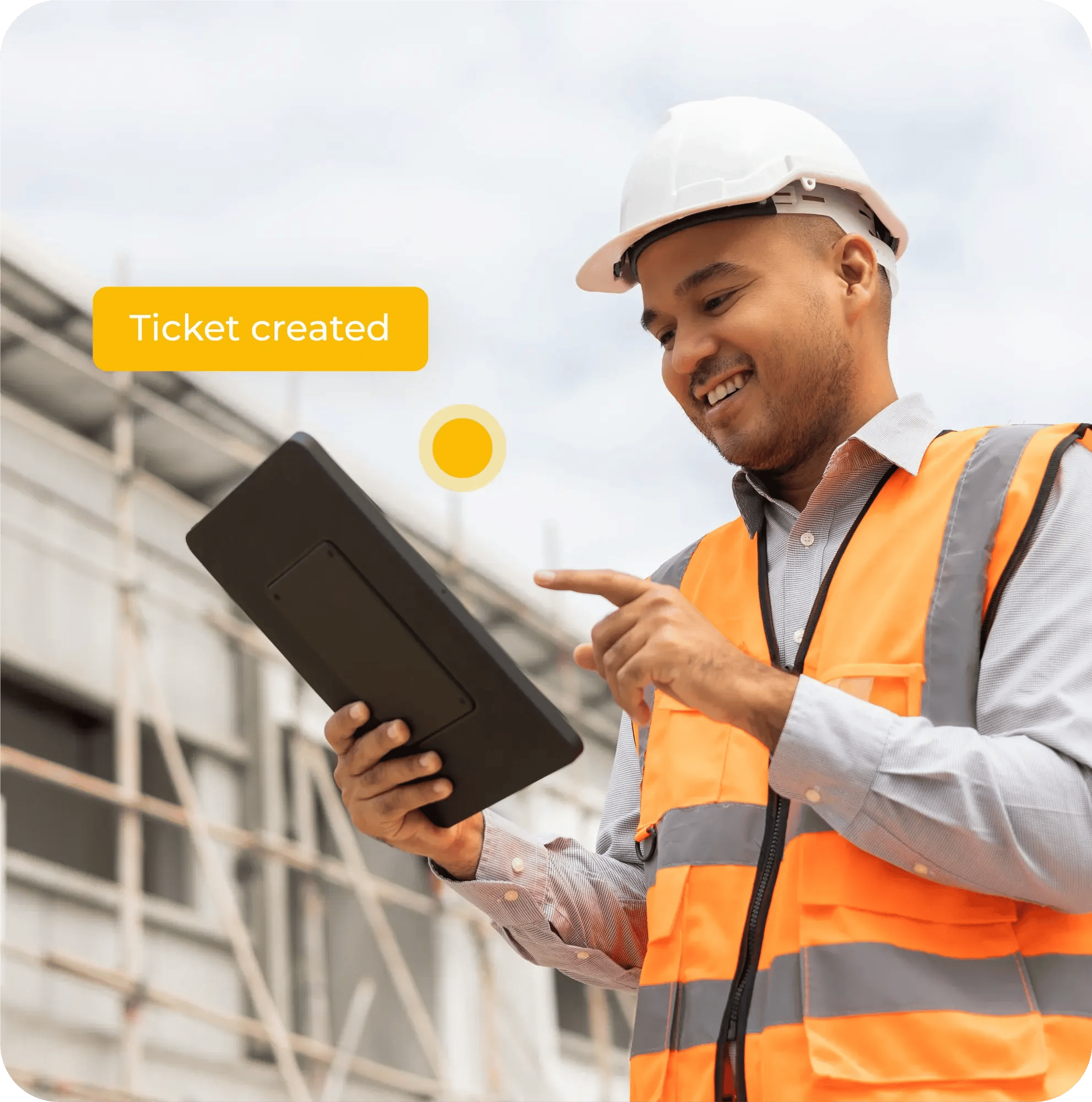
A foreman takes pictures of defects during a tour, links them to a drawing and immediately assigns a responsible party.
A project manager remotely monitors the progress of all outstanding items.
Subcontractors receive their tasks automatically and cancel them with a single tap.
All documentation for completion is automatically compiled into a report.