
Product Updates · Ed Controls
New in
Ed Controls
Stay up to date on the latest developments at Ed Controls. Discover new features, improvements, and optimizations. They’ll help you collaborate more efficiently, maintain a better overview, and spend less time switching between different apps unnecessarily. That way, you’ll get more out of your projects every day.
Set up your project from the construction site
No need to go back to your laptop. Create projects, upload drawings and files, and filter your entire library — directly from your phone. Everything you need on the go is now in the app.
Create a project
Start a new project with a single tap on +. Choose the right contract, fill in the basics and you're ready to go.
Upload drawings & files
Upload directly via the Library. Drawings are automatically converted so you can immediately add tickets to them.
Sort & filter
Sort and filter files and maps simultaneously — by label, date or archive. Always a complete and accurate overview.
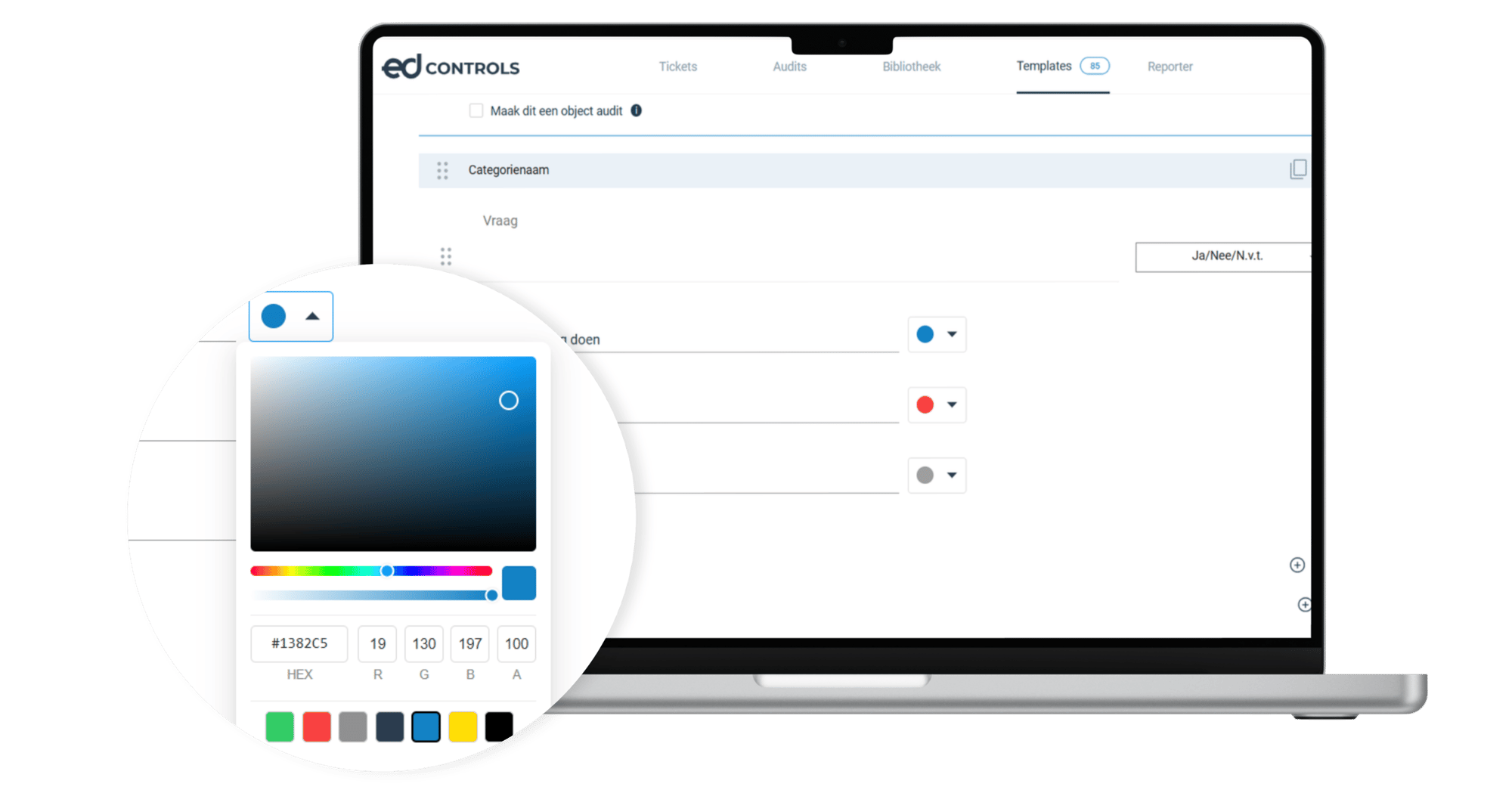
Give “yes,” “no,” and “N/A” your own labels and colors
Decide for yourself what the answer options are called and what colors they get. Save your choice as the default for the entire project, so everyone works consistently without being locked into anything.
- Customize text and color per template
- Save as the default for your entire project
- Deviate per template or question as needed
- Existing and completed audits remain unchanged
Build large audit templates in Excel in a flash
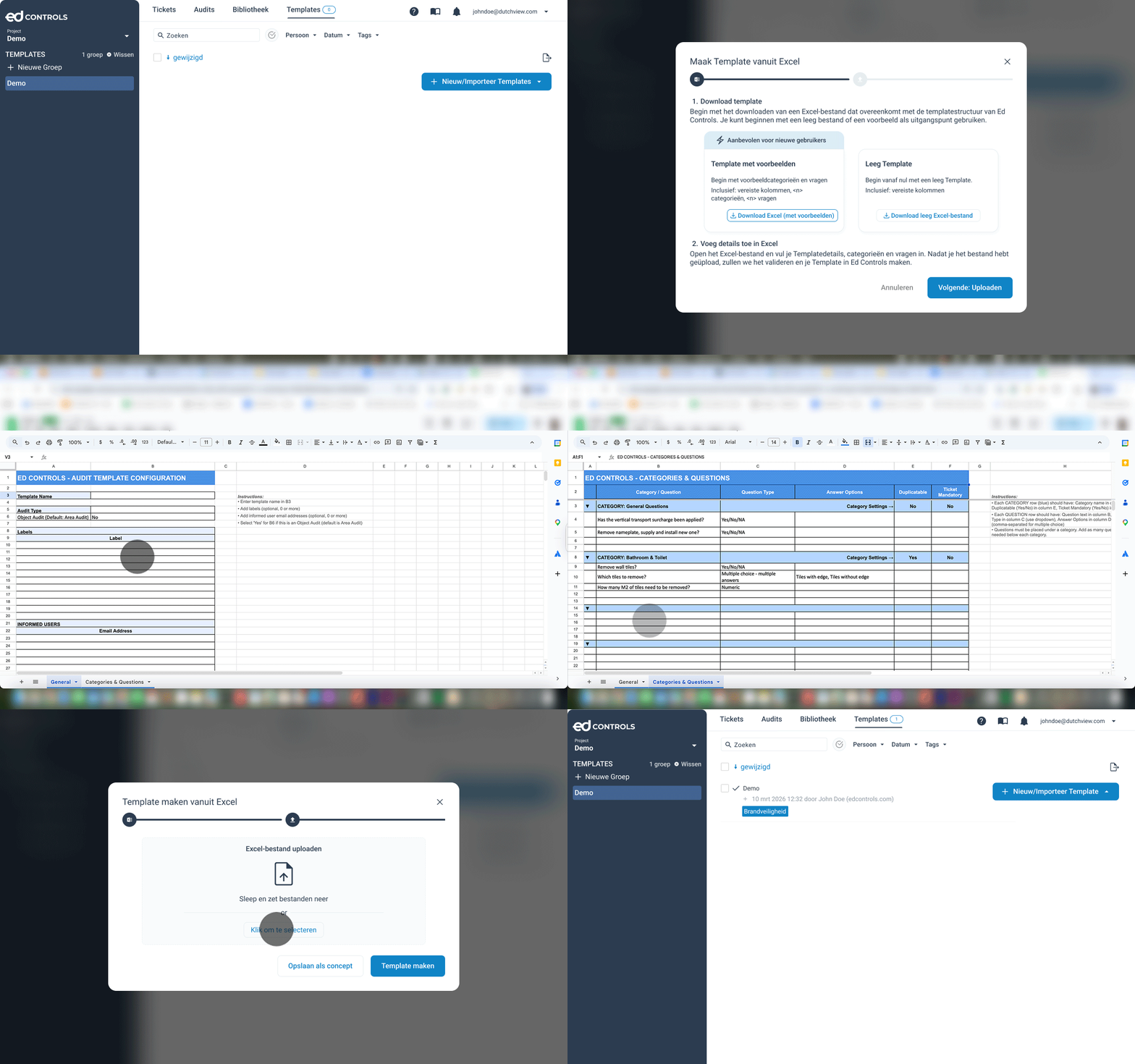
Create templates with multiple categories and questions in Excel, upload them all at once, and reuse them as often as you like. Ed Controls automatically checks your file and pinpoints errors.
- Download a blank template or a sample
- Fill in categories and questions using drop-down lists
- Upload and let Ed Controls check it automatically
- Ideal for large audits and reuse
Forward a ticket to the right person
Did you receive a ticket that’s actually meant for someone else? Forward it right away. Everything stays in a single ticket. You no longer need to send separate messages or emails. Works perfectly with colleagues and subcontractors.
- Forward with just a few clicks
- All parties involved and the timeline remain visible
- Distribute work within your team or among subcontractors
- All communication in one place, with a clear overview of the project
.png?width=2000&height=1045&name=EDC%20Social%20-%20New%20functionalities%20%20(1).png "EDC Social - New Features (1)")
New in August
The latest updates, all listed below.
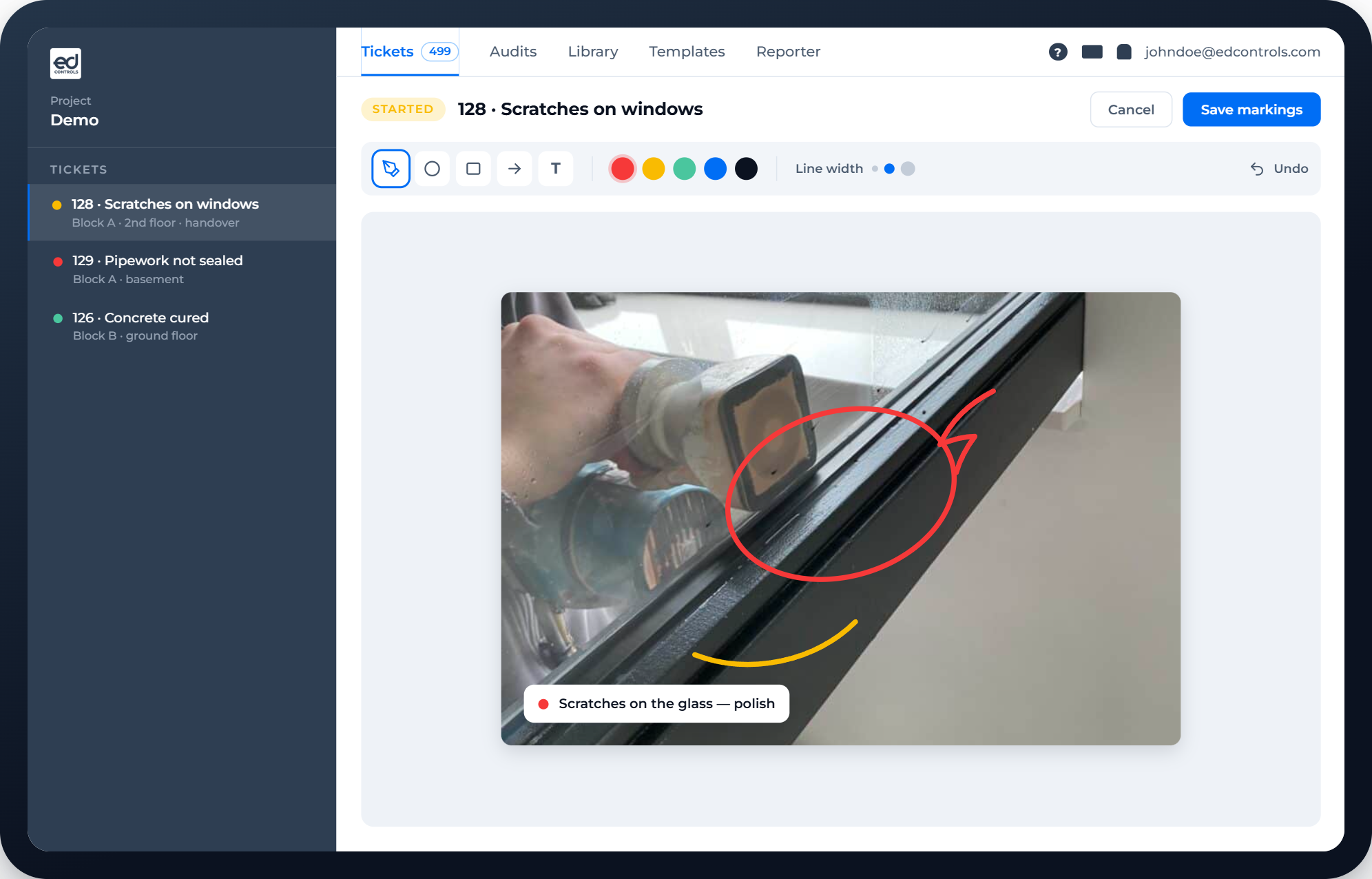
Mark what's wrong directly on the photo
An arrow pointing at the crack, a circle around the spot that needs attention. You can now mark up photos directly in the web version, so it's immediately clear what you're referring to. Use arrows, circles, highlights, freehand drawing and text. It works on a new ticket, on a comment within a ticket and on attachments in an audit. Placed something in the wrong spot? Undo lets you adjust it right up until you save. That way the recipient no longer has to work out what you mean. One look at the photo says it all.
- Add arrows, circles and markings to photos in tickets and audits
- You don't need to ask where the exact location is
- Instantly clear to everyone exactly what's wrong
Adding your whole team? Do it in seconds
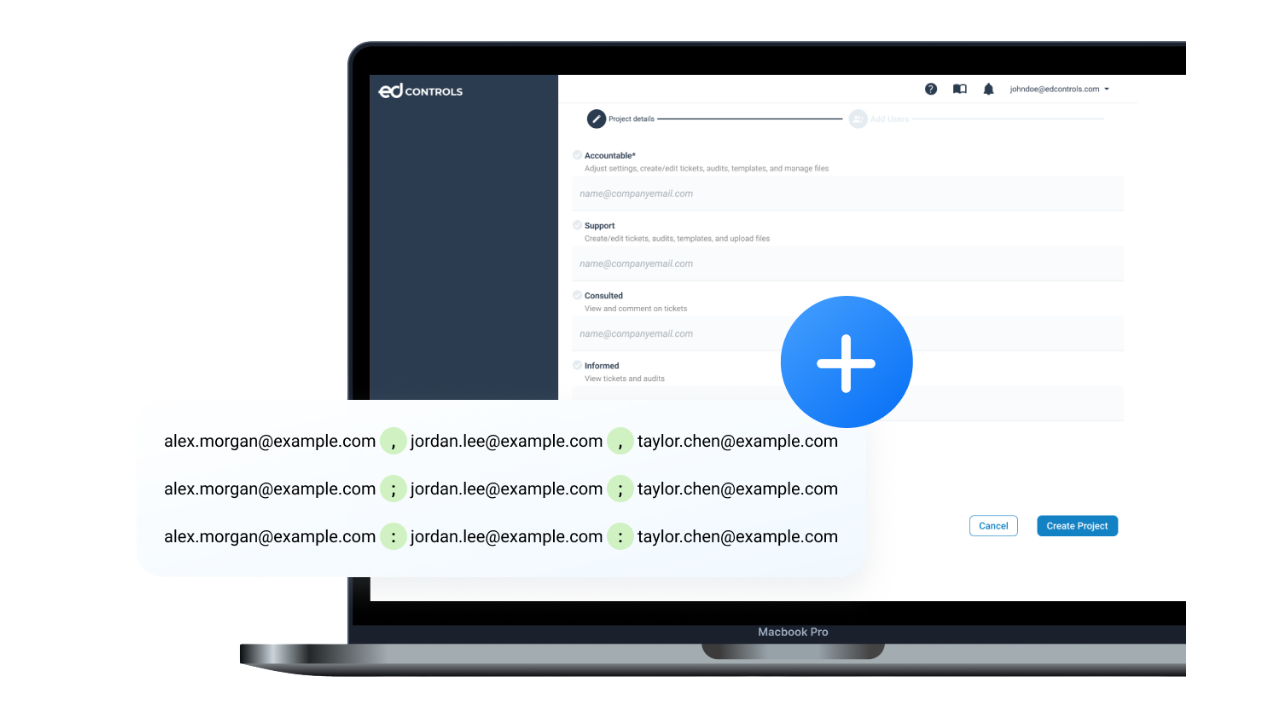
Still typing out email addresses one by one from Outlook, even though you already have the full list ready? Not anymore. Paste your list with commas, semicolons or colons, and Ed Controls recognises them automatically.
- Paste a whole list of email addresses in one go
- Separated by commas, semicolons or colons
- Ed Controls recognises the addresses automatically
- Handy for projects with lots of people involved
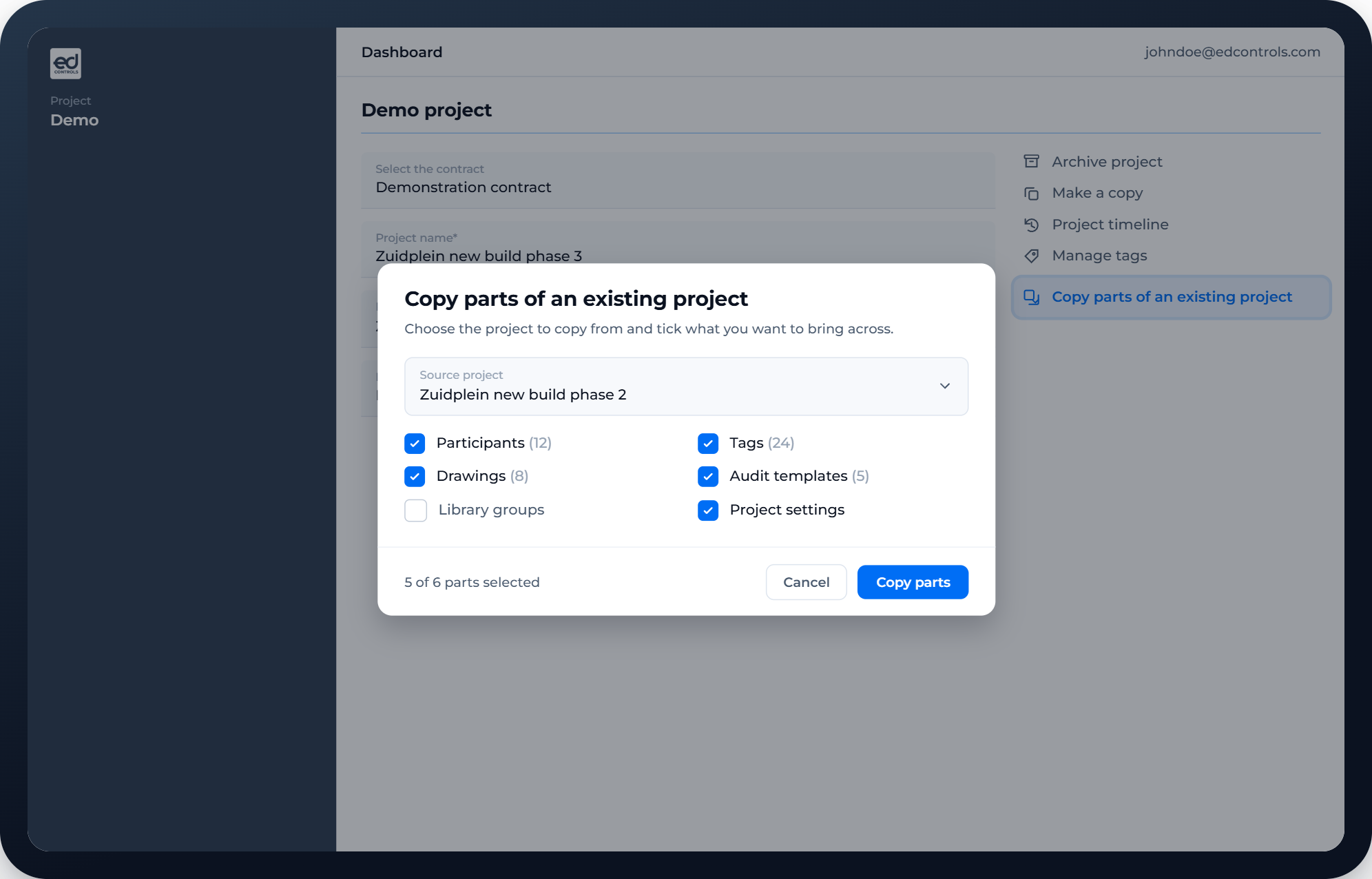
Starting a new project? No more re-typing everything
Setting up a project similar to an existing one? You don't have to rebuild it from scratch. Copy tickets, labels, email addresses and settings straight over from another project.
- Copy tickets, labels, email addresses and settings
- Straight over from an existing project
- Up and running again within a few clicks
- No more duplicate work for similar projects
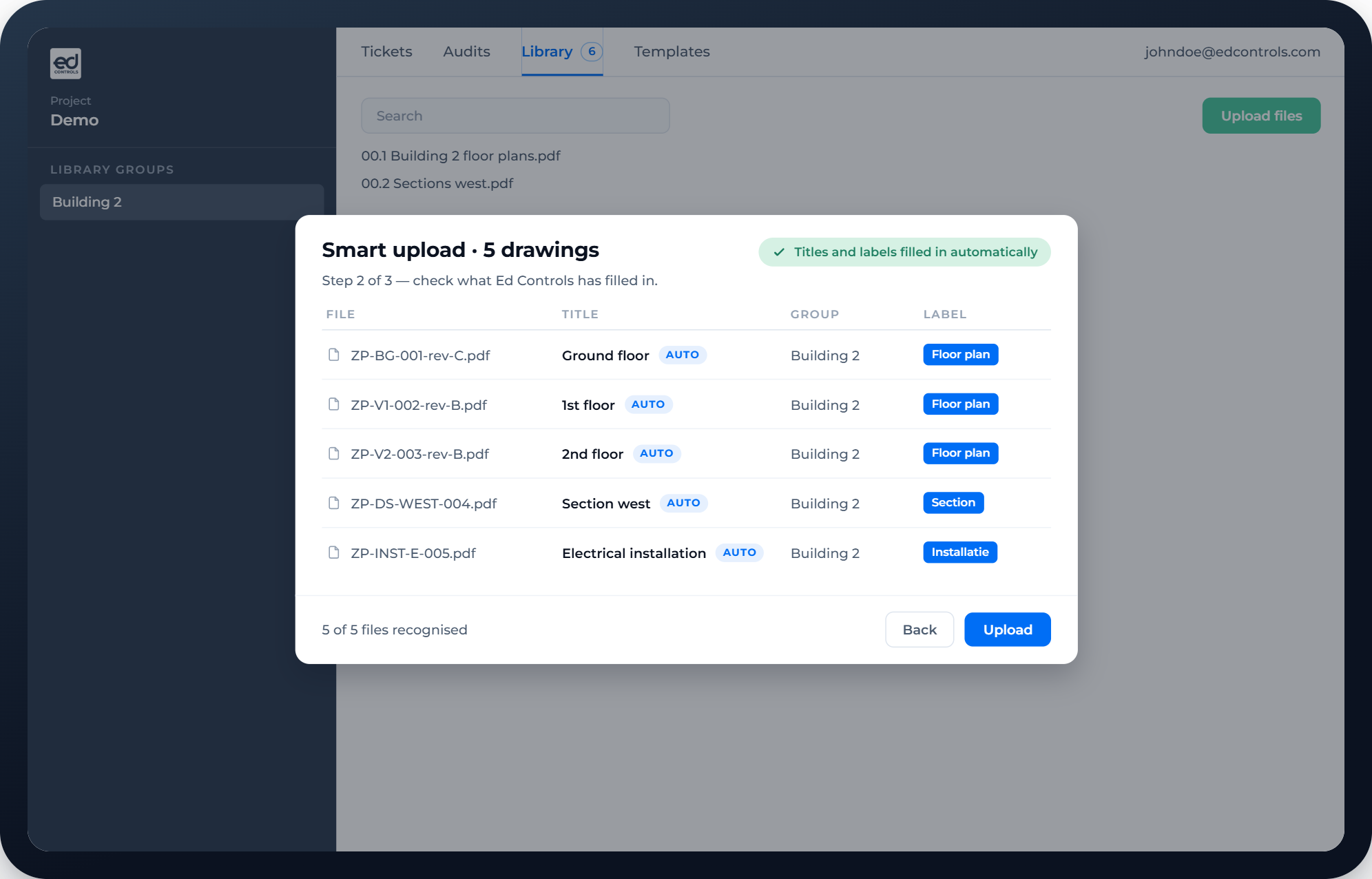
Upload drawings, we'll sort them out
With Smart Drawing Upload, you upload a multi-page PDF and Ed Controls automatically recognises which pages are drawings and which aren't. You'll get an instant suggestion for the name and description of each drawing.
- Automatic recognition of drawing pages in a PDF
- Instant suggestion for the name and description of each drawing
- No more working with "drawing-1", "drawing-2"
- Check, adjust where needed, done
New in September
The latest updates, all listed below.
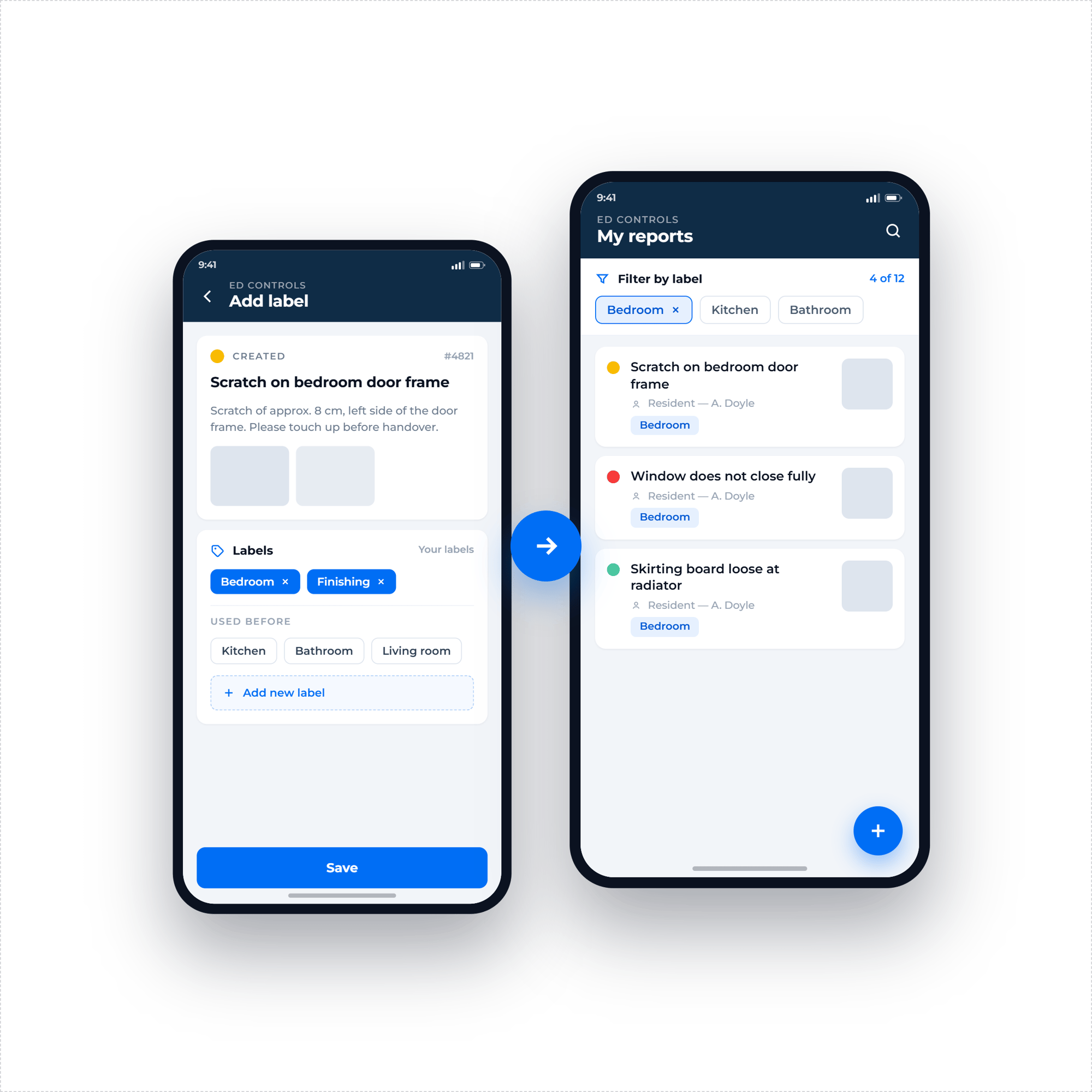
A faster overview of incoming reports
A Reporter can now add a label to a ticket and filter on it themselves, on the phone as well. Handy when a resident flags several points during handover and wants to bring some structure to it. Working with a lot of Reporters on a project? As Owner or Support you'll see at a glance what kind of report you're dealing with.
- A Reporter adds a label to a ticket themselves
- Filter on those labels, on the phone too
- Residents bring their own structure to a handover
- See what kind of report it is, even with a lot of Reporters
Adding evidence no longer requires a ticket
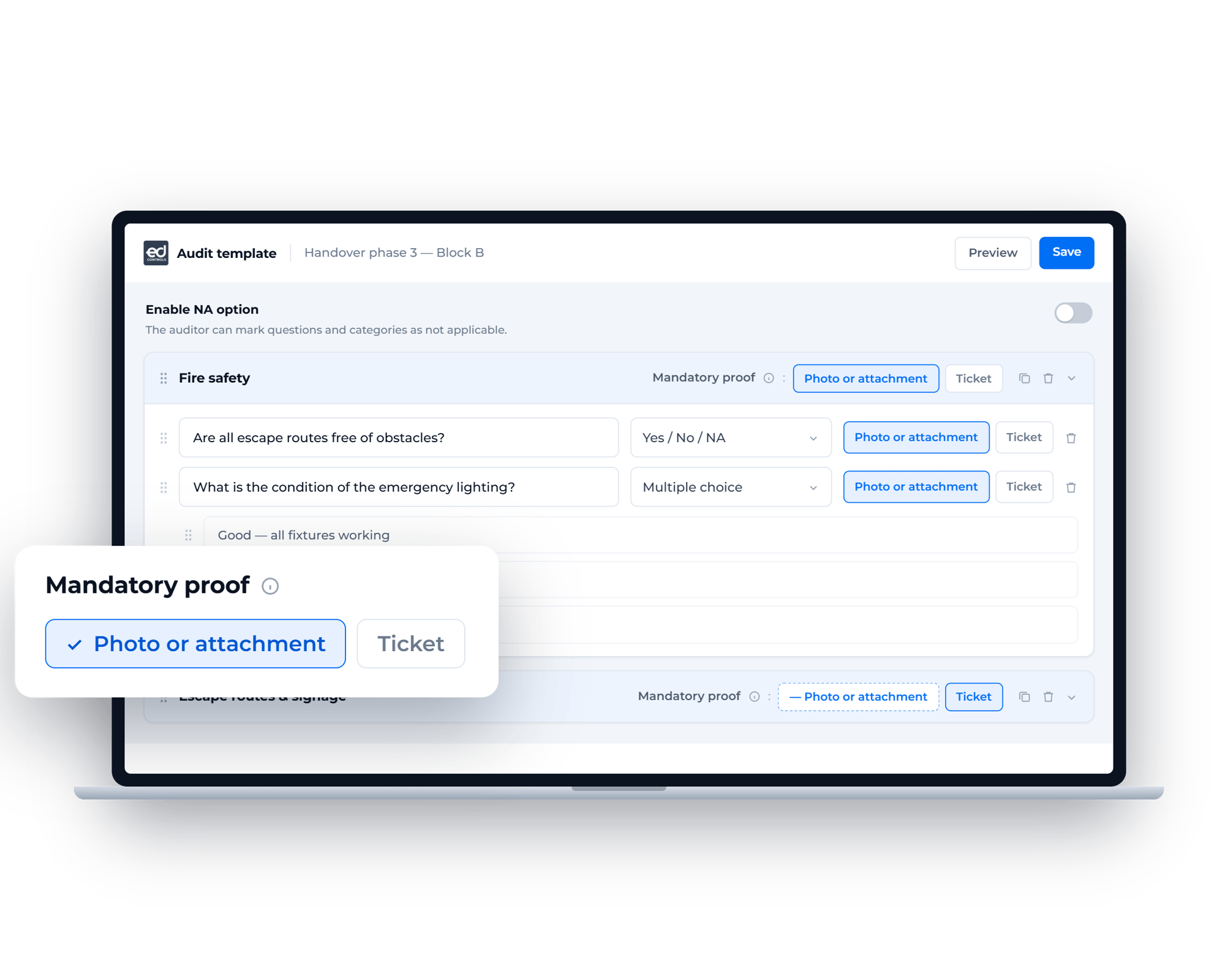
Until now, you could only make a ticket mandatory for an audit question. Now you can do the same for a photo, attachment or comment, on their own or combined. You decide exactly what evidence needs to be in place before an audit can be completed.
- Require a photo, attachment or comment for each question
- Combine multiple types of evidence wherever it matters
- No ticket needed for straightforward record-keeping
- Completion only happens once the evidence is in, your file stays complete
Filter for what's still missing, too
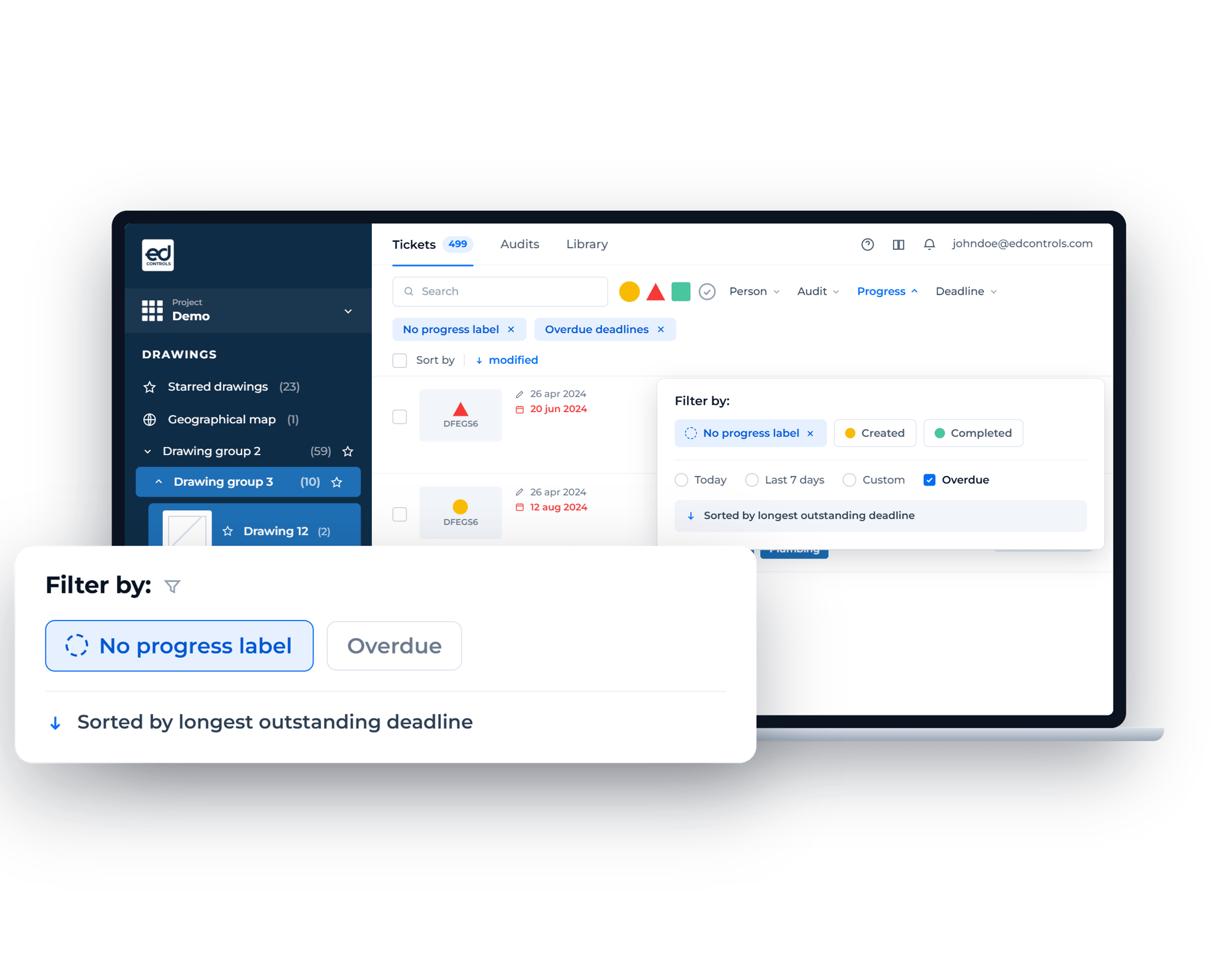
See at a glance where work is still outstanding. Select "No progress label" in the progress filter and you'll instantly spot which tickets have no label yet. The deadline filter shows only overdue deadlines, sorted by the longest outstanding. No more endless scrolling.
- Filter by "No progress label" to spot blind spots
- Show only overdue deadlines
- Sorted by longest-outstanding deadline
- Saves you combing through the entire list
See the whole room in a single photo
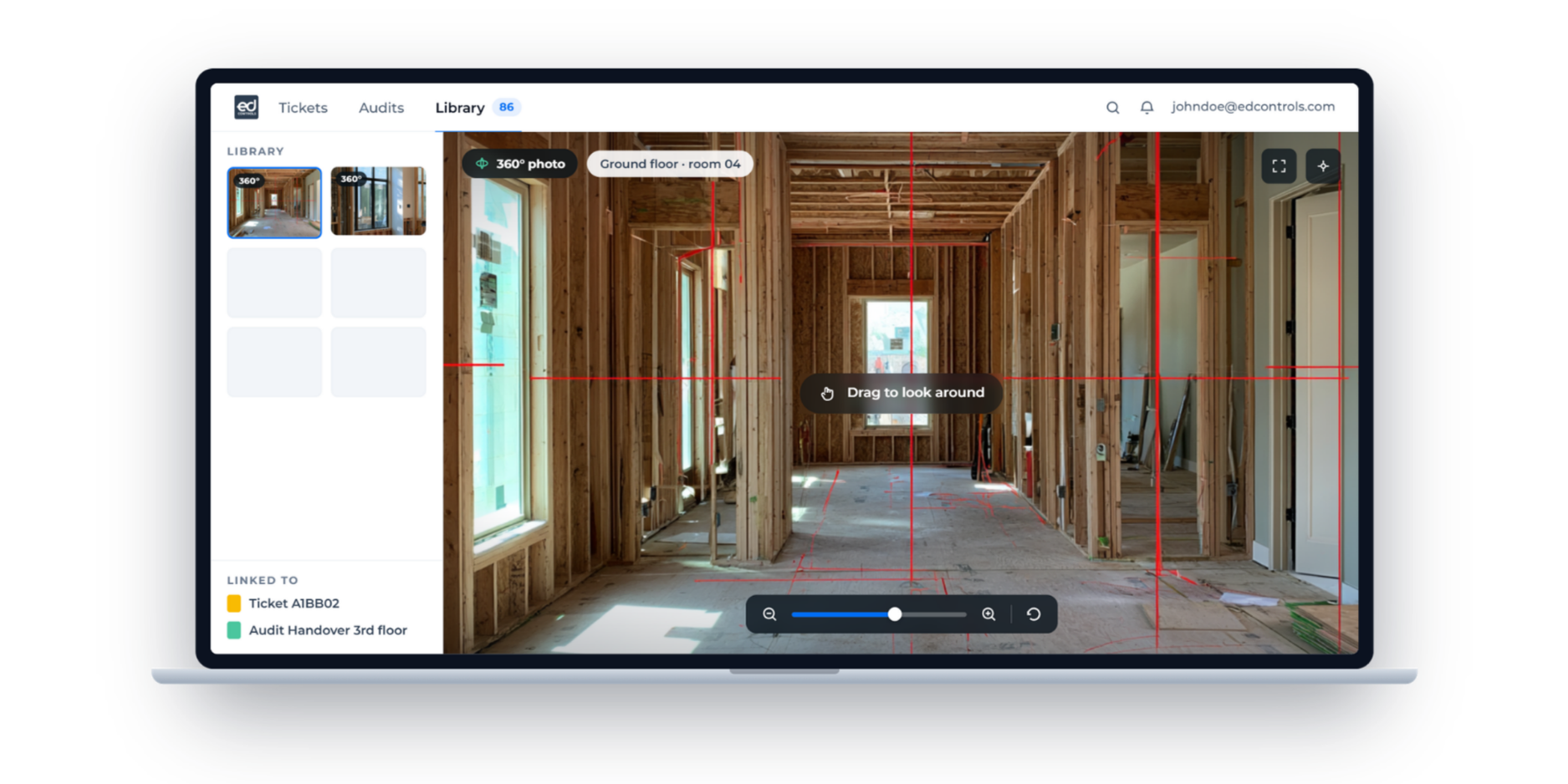
You know how it goes: you take ten photos of a room, and a week later it turns out that one corner is missing. A 360° photo captures the entire room in one shot. Add them to tickets, audits and the library, then pan and zoom your way through them in the app.
- One shot captures the entire room
- Pan and zoom through the photo in the app
- Available on tickets, audits and in the library
- Everyone can see afterwards exactly how things looked
- Available for projects on a contract with extended storage
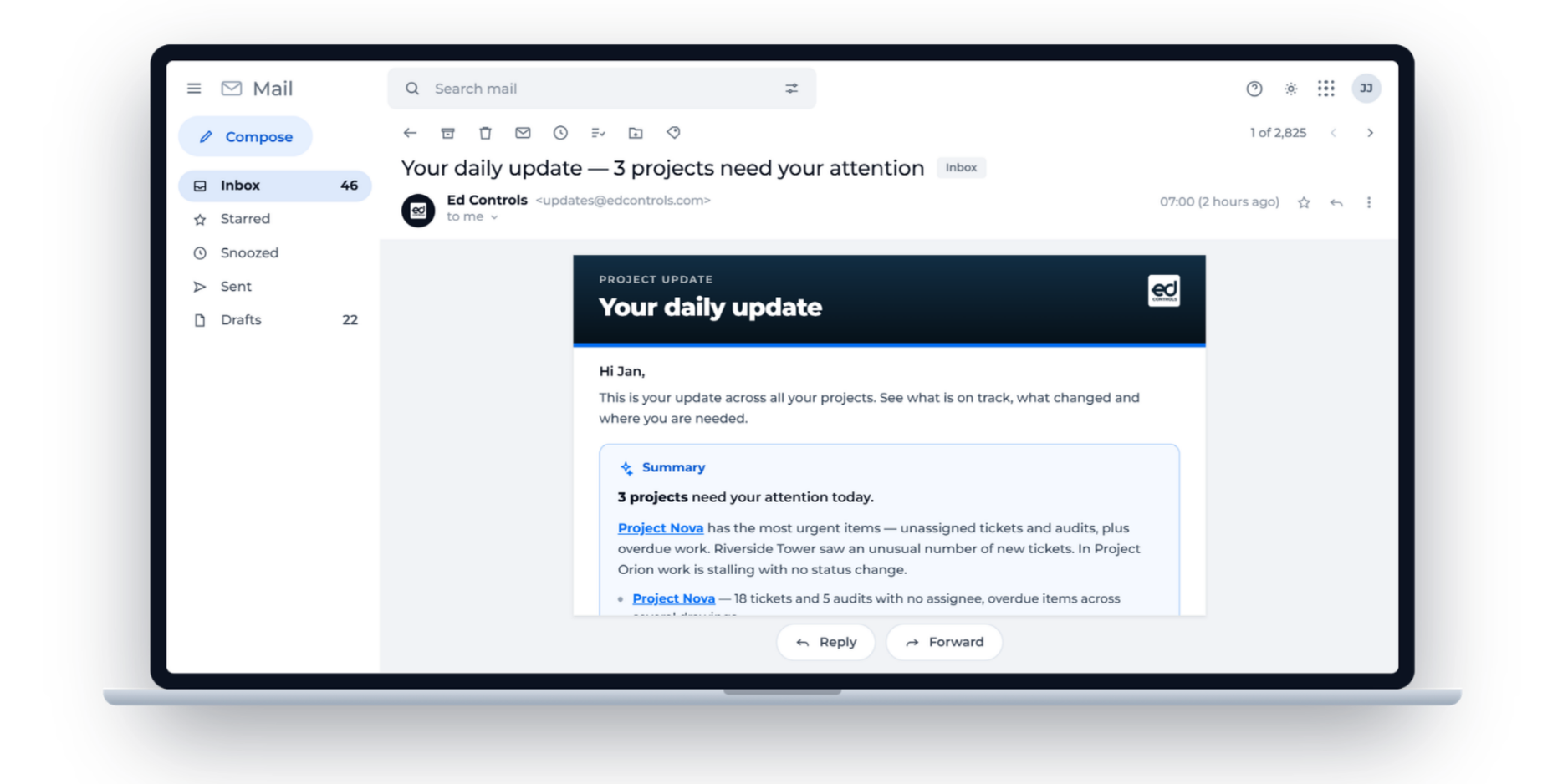
Know exactly where to start
Your update email now opens with a short summary, put together from your own tickets and audits. You'll see at a glance which project needs your attention and where work has stalled. Handy when you're running several projects and aren't sure what to pick up first.
- A short summary at the top of your update email
- Put together from your own tickets and audits
- See straight away which project needs your attention
- See where work has stalled
- Worth keeping an eye on your inbox daily
Busy drawings stay readable
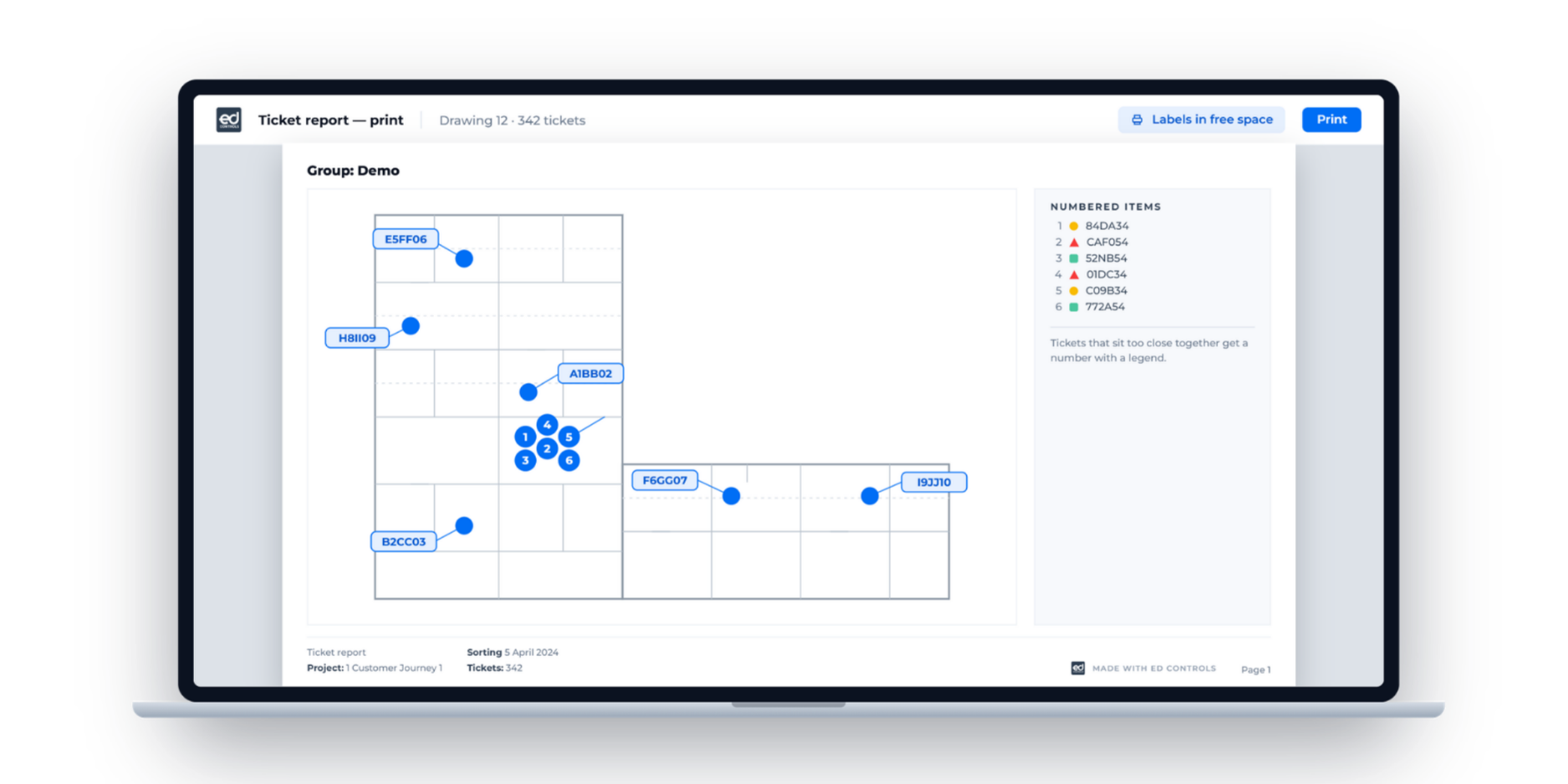
When a lot of tickets sat close together, the ticket numbers used to overlap on a printed drawing. Now each ticket gets a label in the nearest free spot, with a line pointing to the right marker. Where a cluster really is too tight, they become numbered dots with a legend alongside.
- Every label lands in the nearest free spot
- A line points to the right marker
- Tight clusters become numbered dots with a legend
- On site you can see immediately which ticket is where